Album Sleeve or Screen Queue: Two Ways to Choose the Next Listen
Album sleeve or screen queue: choose a next listen with a simple routine that uses each format’s strengths and makes discovery feel more deliberate.
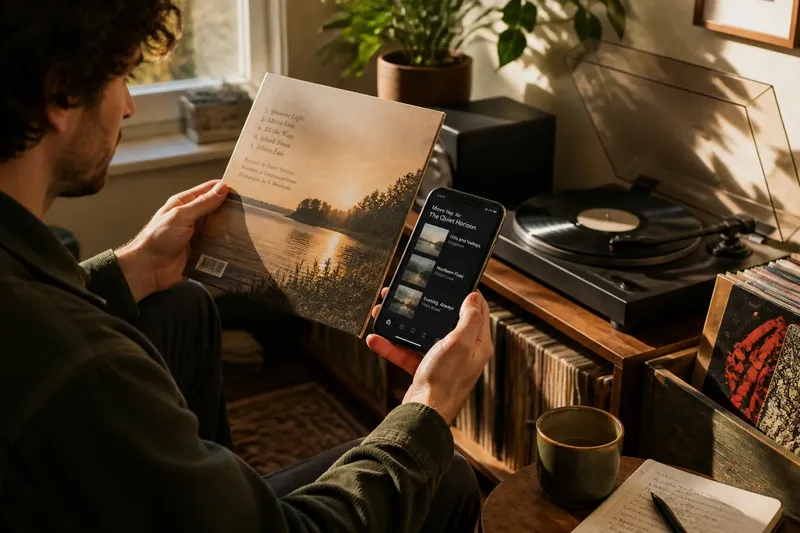
You have finished an album, and the room has gone quiet. An album sleeve waits beside the player; a music app is open on your phone. Choosing between them is not only a matter of access. An album sleeve or screen queue directs your attention in different ways, and a small routine can make either choice feel deliberate.
The sleeve puts a limited set of physical objects in reach. A queue offers more options, often with search, recommendations, and saved lists. Neither is automatically the better way to discover music. The useful question is what kind of attention you want for the next listen: a close look at one record, or a wider browse with room to follow an unexpected connection.
What do you want from the next listen?
Before picking up a sleeve or opening an app, name the kind of session you want in a few plain words. You might want familiar music, a new album, a particular mood, or something connected to what just finished. This is not a rule that must be obeyed. It is a way to stop a vague search from turning into an extended tour of the same familiar choices.
Use the last track as a clue, not an instruction. If it left you wanting more of the same sound, a related record may fit. If it made you restless, a change in pace or style may be more interesting. The distinction matters because each format presents its options differently: a shelf puts nearby records in view, while an app can lead you outward through search and suggestions.
Decide, too, how much browsing you actually want. If you would rather listen than compare, choose a single candidate and start it. If the act of looking is part of the pleasure, give yourself room to browse without pretending that every selection needs to be the most defensible one in the collection.
How do you choose from an album sleeve?
Start with the records already within easy reach. Pull out a sleeve and look at its cover, title, and any printed track listing. Read the information that draws your eye, but do not turn the jacket into a test. A familiar design may revive a memory; a song title may catch your interest; a credit or image may suggest a detail you have overlooked.
Notice what the physical object makes easy to see. The cover gives the album a distinct face. The back or inner sleeve may provide track names, credits, lyrics, or notes, depending on the release. Those details can prompt a choice before a track begins, or steer you toward hearing the record as a whole rather than treating it as a container for one remembered song.
Then decide whether the sleeve has made you curious enough to play the album. If you are unsure, consider one specific question: Do you want to hear a particular track, or are you willing to let the album unfold in its presented order? A full-album listen suits the second answer. If you have a particular track in mind, check what your playback equipment can do and choose accordingly.
Say you have finished a familiar record and notice another sleeve with a title that echoes a lyric from the last one. You pull it out, scan the track list, and find a song title that sounds promising. The visible connection gives you a reason to choose; hearing that song or letting the album continue gives you a clear way to see whether the initial curiosity holds.
The sleeve also imposes a useful limit. What is on the shelf, in the crate, or beside the player is what you are likely to consider first. That smaller field can help when a large catalog feels tiring. It can also leave out a recording you would have found through search. Treat the sleeve as a prompt, not a complete map of everything you might want to hear.
How do you browse a screen queue without losing the thread?
Open the app with a destination in mind: an artist, album, track, saved playlist, or a sound you can describe. Use search when you know what you want. Use a library or saved list when you want to return to something you have already chosen. Recommendations can be useful when you want to be surprised, but they are only one route through a catalog.
As you browse, keep track of why each candidate caught your attention. It may connect to the album you just heard, come from an artist you want to explore, or simply look unfamiliar. That small act of naming the reason makes the choice easier to remember and gives discovery a thread, rather than leaving you with a row of titles opened and abandoned.
When you find a candidate, decide whether it belongs in the immediate queue or in a saved list for another time. Put it in the queue if you intend to hear it during this session. Save it elsewhere if you want to return to it later. The distinction matters because a queue is not merely a store of possibilities; it is also an order of events. Adding too many options can make the next listen feel indefinitely postponed.
Before playback, glance at the queue and remove anything that no longer fits. Check whether the app is set to play the item you chose, rather than continuing an older sequence or shuffling through a larger list. These controls differ between services, but the decision is straightforward: should the next sound be this album, a particular track, or a sequence you have arranged?
A screen can also make comparisons unusually easy. You can move between album pages, inspect track listings, and follow artist or label links without putting down a stack of records. That breadth helps when you are curious about relationships between recordings. It can also invite constant switching. Once a choice feels good enough, leaving the screen alone is part of choosing.
Which route fits your attention?
The sleeve and the queue do not simply offer different ways to reach the same music. The sleeve favors what is physically present and gives cover art, printed information, and handling a visible role. The screen favors breadth, search, and links between catalog entries. These tendencies shape what you notice, but they need not decide what you hear.
- Choose a sleeve when you want the object itself to prompt your attention, or when a smaller set of nearby records sounds appealing.
- Choose a screen when you have a specific artist or album in mind, or want to follow connections beyond what is on hand.
- Choose either one when you have a clear candidate and would rather begin listening than keep looking.
- Switch formats when one route has reached a natural limit: a sleeve can send you to a digital search, and a digital discovery can lead you to find the physical edition later.
The point is not to keep physical and digital selection separate. A sleeve may spark a search for another recording by the same artist; an app may remind you of a record you own. Let one format supply the next clue if it has one. Then make a fresh choice in the other, rather than treating the change of medium as a vote for one method.
What do listeners ask about choosing music?
Does a physical album sleeve help with music discovery?
It can make a small number of records and their visible details easier to consider. Artwork, track names, and printed credits may point toward a choice, though discovery still depends on what is in reach.
Is a digital queue better for finding new music?
A digital queue can connect a known artist, album, or track to a broader catalog. Its reach is useful if you want to follow links, but an expanding list can also distract from actually starting a listen.
Should I choose one song or play the whole album?
Choose one track when a particular song is what interests you or fits the moment. Choose the album when you are curious about its sequence or want to give the full record your attention; either choice can be a complete listening session.
Can I use a sleeve and a queue together?
Yes. Let the sleeve suggest an artist or album, then use an app to follow a connection you cannot access from the records nearby, or let a digital search point you toward a physical copy. Keep the next choice clear even when the route between formats is not.
How do you finish the choice?
Once you have chosen, make the decision visible. Set the sleeve by the player, or leave the selected album at the front of the queue. Start playback, then give the choice enough time to become an actual listen before reopening the search. If it is not right for the moment, change course without turning the change into a verdict on the album.
For album sleeve or screen queue browsing, keep the reason for the choice modest and clear: the cover drew you in, the track list raised a question, or a search led to an unfamiliar name. That reason gives the next listen a point of entry without pretending to predict the result. Sometimes the best thing a sleeve or a queue can do is help you stop choosing and let the music begin.